- DATE:
- AUTHOR:
- The Whereby team

Whereby SDK & Product Updates December 2025
With a few weeks left in the year, we’ve been rolling out updates that make it easier to deliver accessible conversations and great-looking video, all while ensuring our Embedded offering stays affordable.
In this roundup, we share our new flexible pricing for session transcriptions and live captions, along with a brand-new Camera Effects SDK for builders creating fully custom embedded calls.
Here’s everything you need to know 
 Transcriptions & Live Captions got cheaper across 6 languages
In a bid to make our session transcriptions and live captions on Whereby Embedded a lot more affordable, we introduced new pricing tiers across six languages.
From December 1, 2025, transcriptions and captions generated in English, Italian, French, German, Spanish, and Portuguese will be billed at a reduced rate of $0.0065 per unmuted participant minute on the Build plan, with even lower pricing (from $0.0055) available on Enterprise (annual) plans.
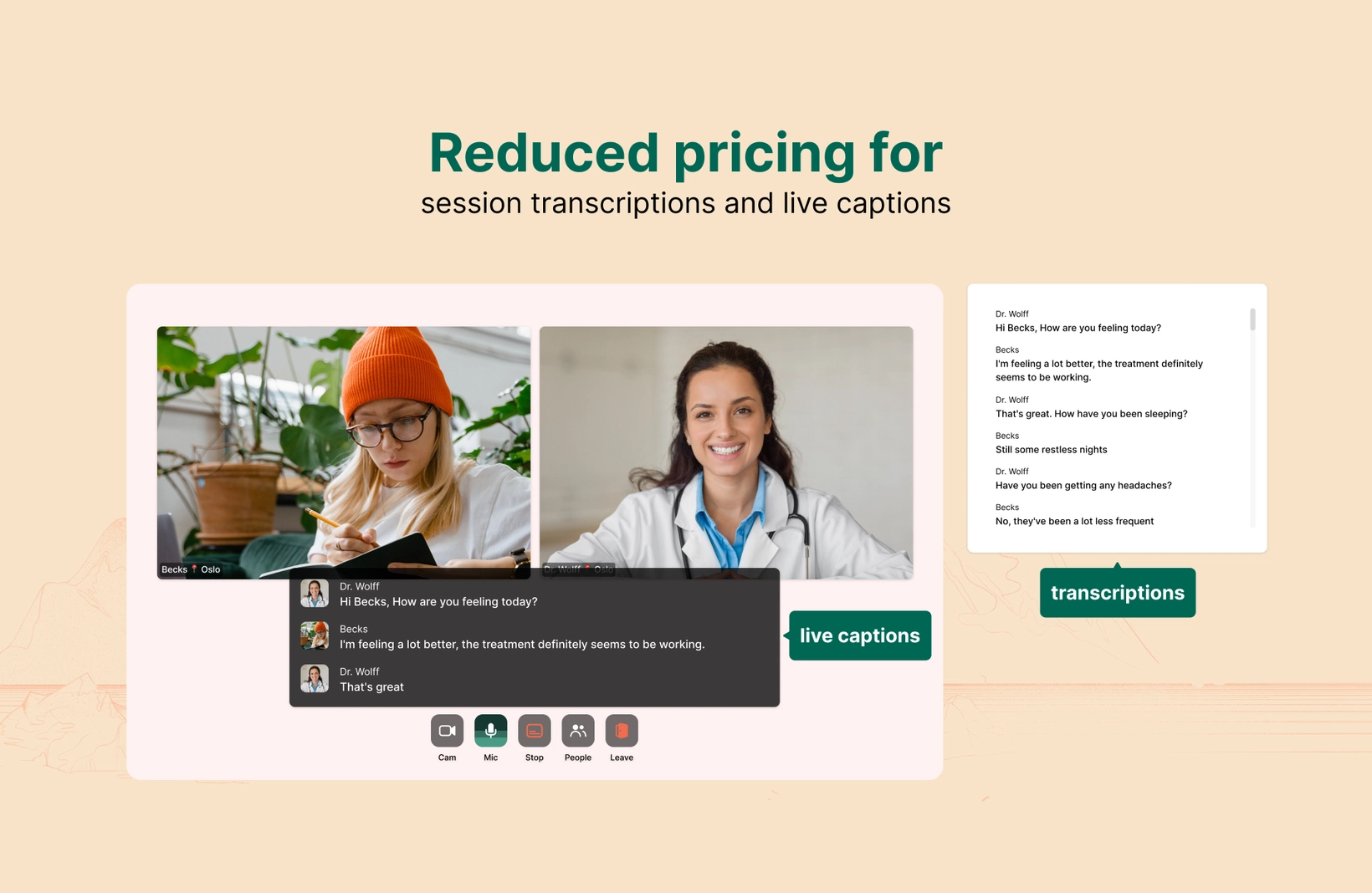
If your room is set to any of these discounted languages, the new pricing will be automatically applied to your account. Also, when transcriptions and live captions are used together in the same session, you only be charged once per unmuted minute.
Please reach out to your Customer Success Manager to access the lower pricing if you’re on an Enterprise plan.
In the meantime, all other languages, including Brazilian Portuguese, will continue to cost $0.024 per unmuted participant minute. Please note that room-level language settings override organization defaults and may impact your billing.
For more details, read our full documentation on Session Transcriptions and Live Captions.
 New Camera Effects
We’ve just launched a new addition to our SDKs!
With the new Whereby Camera Effects SDK, you can now add real-time visual effects to camera streams on your embedded calls. This means new calm and professional backgrounds guaranteed to give your users a better video call experience.

You can also choose to use our predefined images and videos for background blur and clean, distraction-free scenes. It’s an easier way to level up the visual experience without building everything from scratch.
The camera SDK is designed to be used along with the other Whereby SDKs, including the React Hooks browser SDK or the Whereby Core SDK.
To use it, simply install the @whereby.com/camera-effects package from our public npm registry, drop it into your browser-based app, and start giving users a better video call experience. Read more about it here.
 New UI Improvements
We’ve also made some minor UI improvements to the navigation bar on your Whereby Embedded dashboard. Previously, configuration settings, including recording and transcriptions, were a long tab. Now, they’ve been organized as child pages under the ‘Configure’ navigation section.
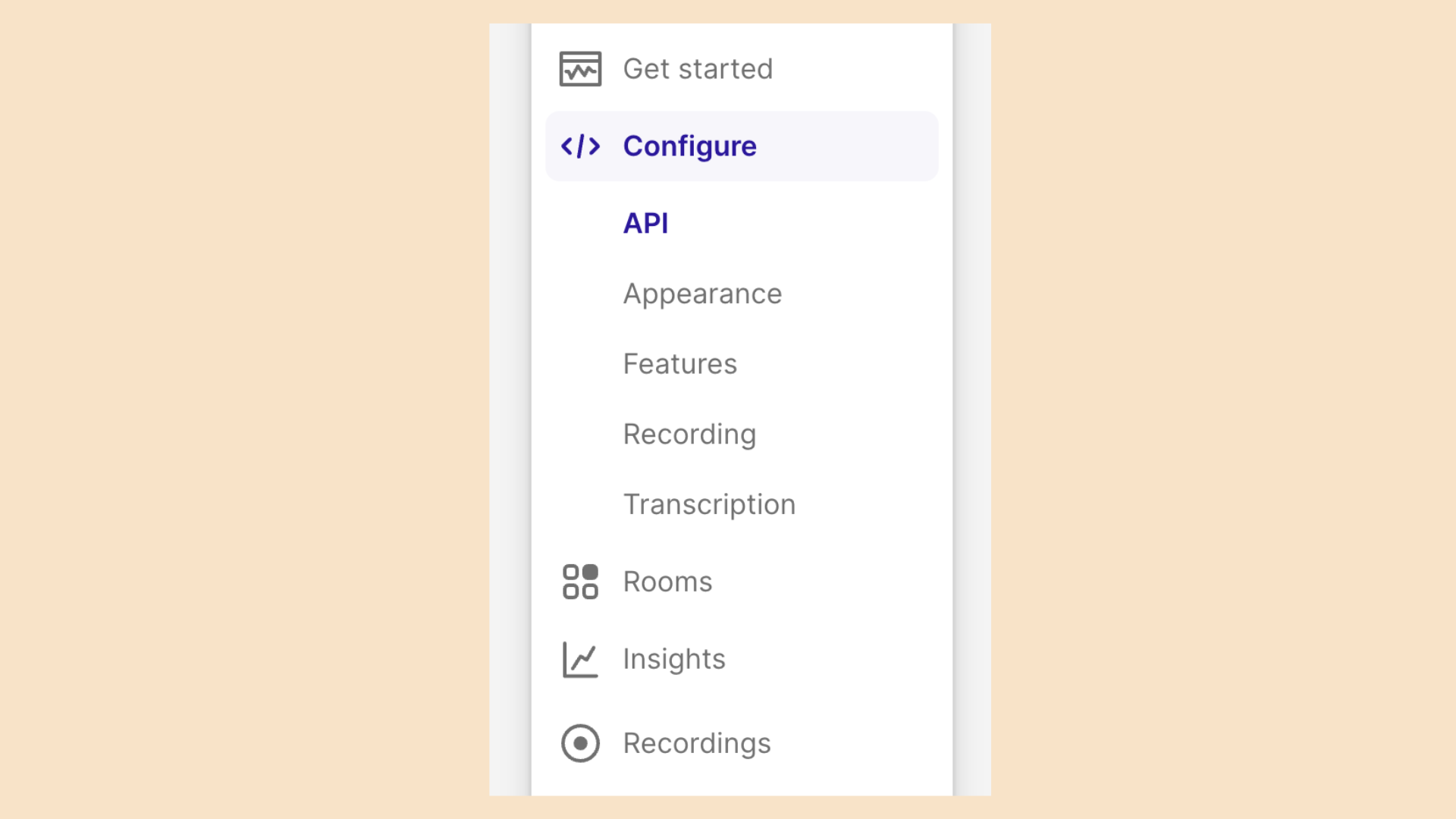
This makes it easier to find all the settings you need to customize your video call experience in one place.
 SDK Changelog
In the last few months, we’ve also made some minor changes to our SDK. Some of which include;
@whereby.com/browser-sdk@3.18.0
Minor Changes
4b95fd0: Add cancel knock action
@whereby.com/browser-sdk@3.17.0
Minor Changes
bebe42c: Add embed element iframe permissions
@whereby.com/browser-sdk@3.16.0
Minor Changes
9fe1ad1: Enable custom image camera effects
@whereby.com/browser-sdk@3.15.0
Minor Changes
c5c67f6: Add camera-effects support
For a full list of changes and their commits, check out our SDK repo changelog.
Got questions?
Join our Discord Community to gain insights from other developers using Whereby Embedded.
Happy Holidays 
- Team Whereby