- DATE:
- AUTHOR:
- The Whereby team
New: Get Feedback on Your Call Quality with Session Ratings⭐️
Improving the quality of your video calls requires knowing what works and what doesn’t. This is why we’re excited to announce the launch of session ratings, a more effective way to gather feedback about your sessions.
Here’s everything you need to know.
What are session ratings?
Session ratings are a simple yet powerful way to gather structured feedback directly from participants, get context, and turn it into actionable insights. With this feature, you can gather both quantitative and qualitative responses from your participants.
With session ratings, you can also:
Understand the quality of your session from a client’s perspective
Identify other technical issues tied to location, device, or network
Identify areas of your calls that impact clients the most to improve the user experience
How does it work?
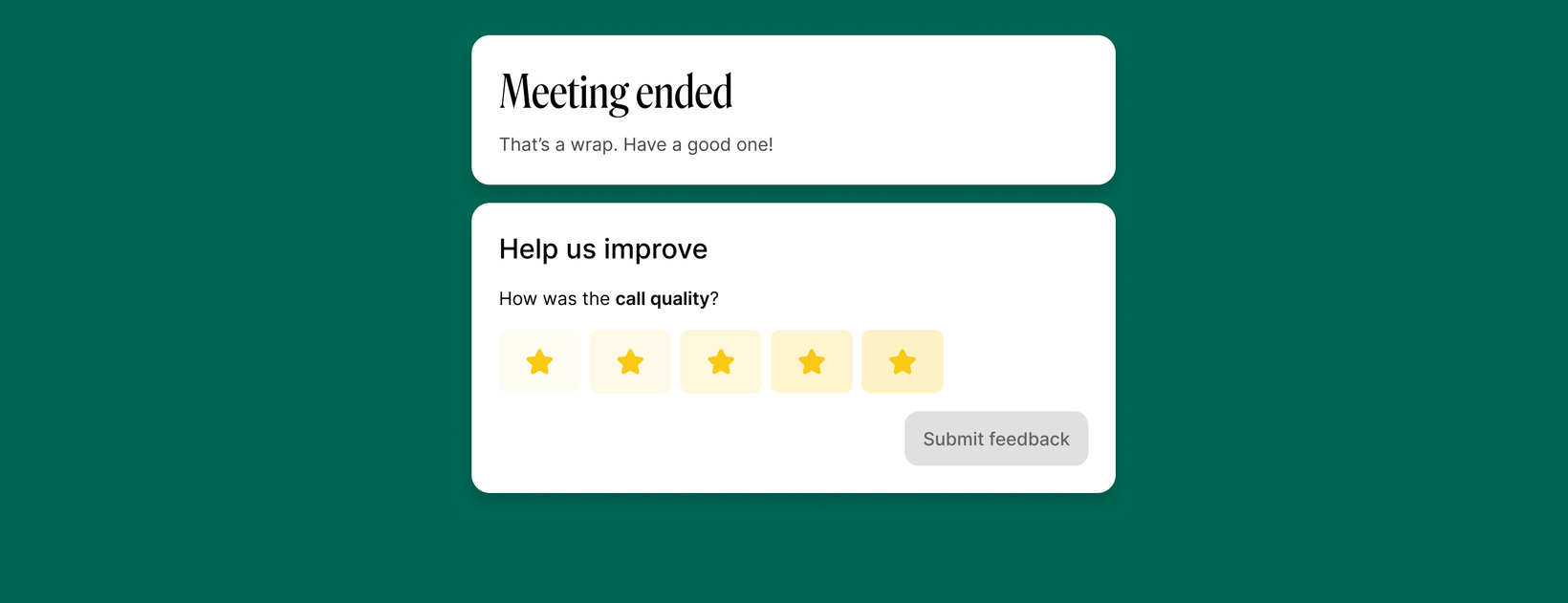
At the end of your Whereby call, your participants will get an optional three-step flow that asks them to;
Rate the session’s quality on a 5-star scale.
Select pre-defined issue tags if their rating is lower than 3 stars.
Give additional feedback through a text field for low ratings.
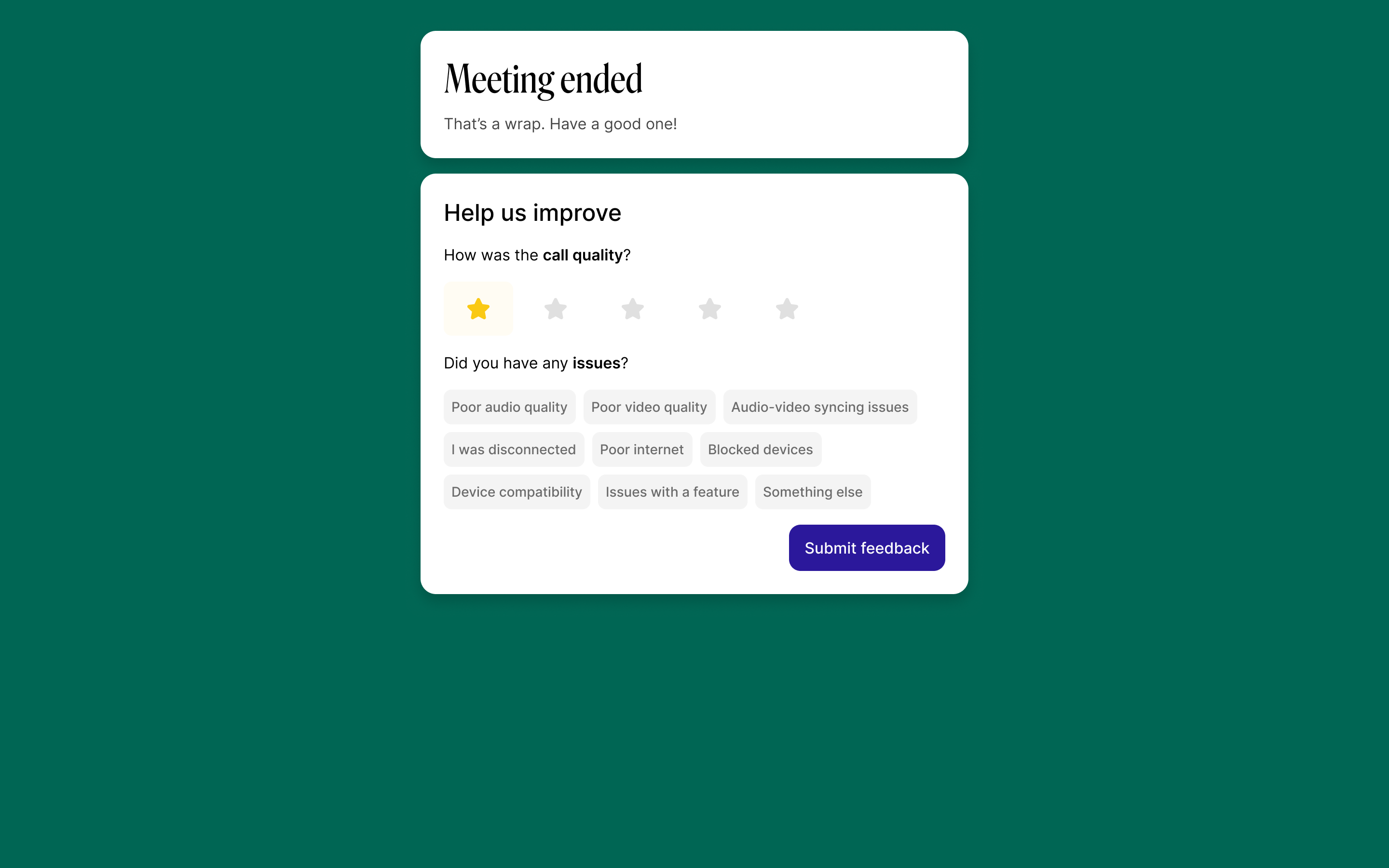
The additional feedback text box is turned off by default, so if you’d like to get more insights, you can turn this on from your Whereby dashboard.
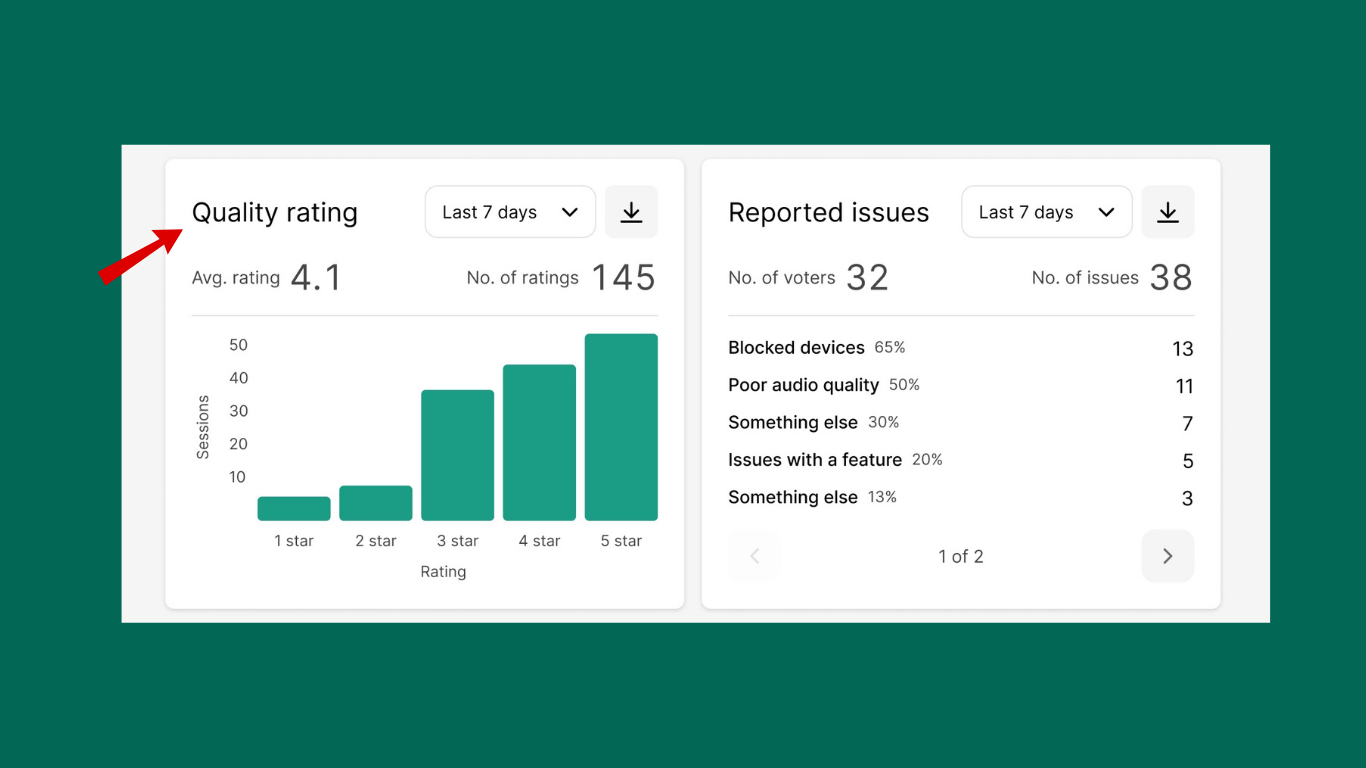
Once your participants submit their feedback, it is aggregated and visualized in your account dashboard under ‘Insights’. You can choose to view the trends in call quality across all sessions or dig into individual calls for specific insights.
How do I enable session ratings?
Session ratings are turned off by default. They are also not configurable on a per-room basis. So to access it, you need to manually switch it on for your organization by visiting;
Whereby Dashboard > Configure > Features > Insight features
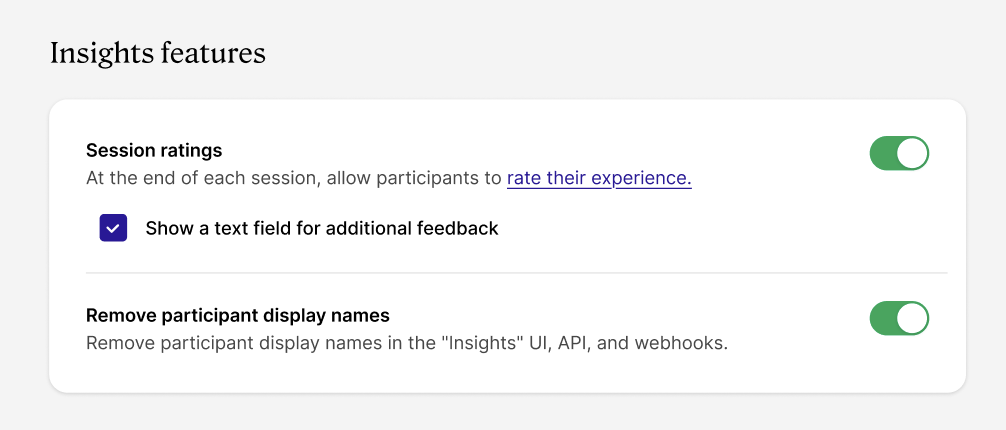
Again, to get extra qualitative feedback, you’ll have to check the additional tick box so users can leave a comment.
Who can use this feature?
Session ratings are only available to users on a paid Whereby Embedded plan.
Is this feature HIPAA compliant?
The default setup is HIPAA compliant because the additional feedback tick box is turned off. Since the other fields are anonymous ratings, this will prevent any personal identifiable information from being entered and stored.
However, if you decide to use the freeform text field, it could store personally identifiable information. We have no way of redacting this from the freeform.
We take data privacy very seriously at Whereby. So all feedback is used solely to improve the platform and complies with data protection regulations.
Got questions or feedback?
Join our community on Discord here
Have a great week ,
,
Team Whereby