- DATE:
- AUTHOR:
- The Whereby team
Whereby SDK & Product Updates July 2026
This month, we’ve worked on improvements across Whereby for both end users and developers.
From giving users more control over automatic Picture-in-Picture and enabling admins to manage screen share notifications, to introducing iOS SDK v1.0.2 and our move towards Swift Package Manager, these updates make it easier to build, manage, and collaborate on Whereby sessions.
Here’s everything we shipped in July
 iOS SDK V.1.0.2: We’re migrating from CocoaPods to SwiftPM
Embedded
We’re excited to announce the release of our iOS SDK v1.0.2, available via both CocoaPods and Swift Package Manager (SwiftPM).
In addition to compatibility improvements, UI enhancements, and other updates, this release marks the start of our transition to SwiftPM as our sole distribution method for the iOS SDK.
To give you plenty of time to migrate, v1.0.2 is available through both package managers.
From October 2026, however, all new SDK releases will be published exclusively via SwiftPM, ahead of CocoaPods reaching its end of life in December 2026.
Existing SDK versions on CocoaPods will remain available, but no further updates will be published there.
If you're currently using CocoaPods, we recommend migrating to SwiftPM before October 2026 to ensure continued access to the latest SDK releases and improvements.
For more details, check out our iOS SDK repo and documentation.
 Control for automatic Picture-in-Picture
Meetings & Embedded
Picture-in-Picture (PiP) can now be automatically launched during a Whereby session whenever a user switches focus away from their current tab. This is a result of Google Chrome’s new automatic PiP support.
Automatic PiP makes it easier to stay connected during meetings while working in other tabs, windows, or applications.
For Whereby Meetings users, PiP will now automatically launch by default when switching tabs or launching screen share.
For Whereby Embedded users, PiP will only launch automatically when a user launches screen share.
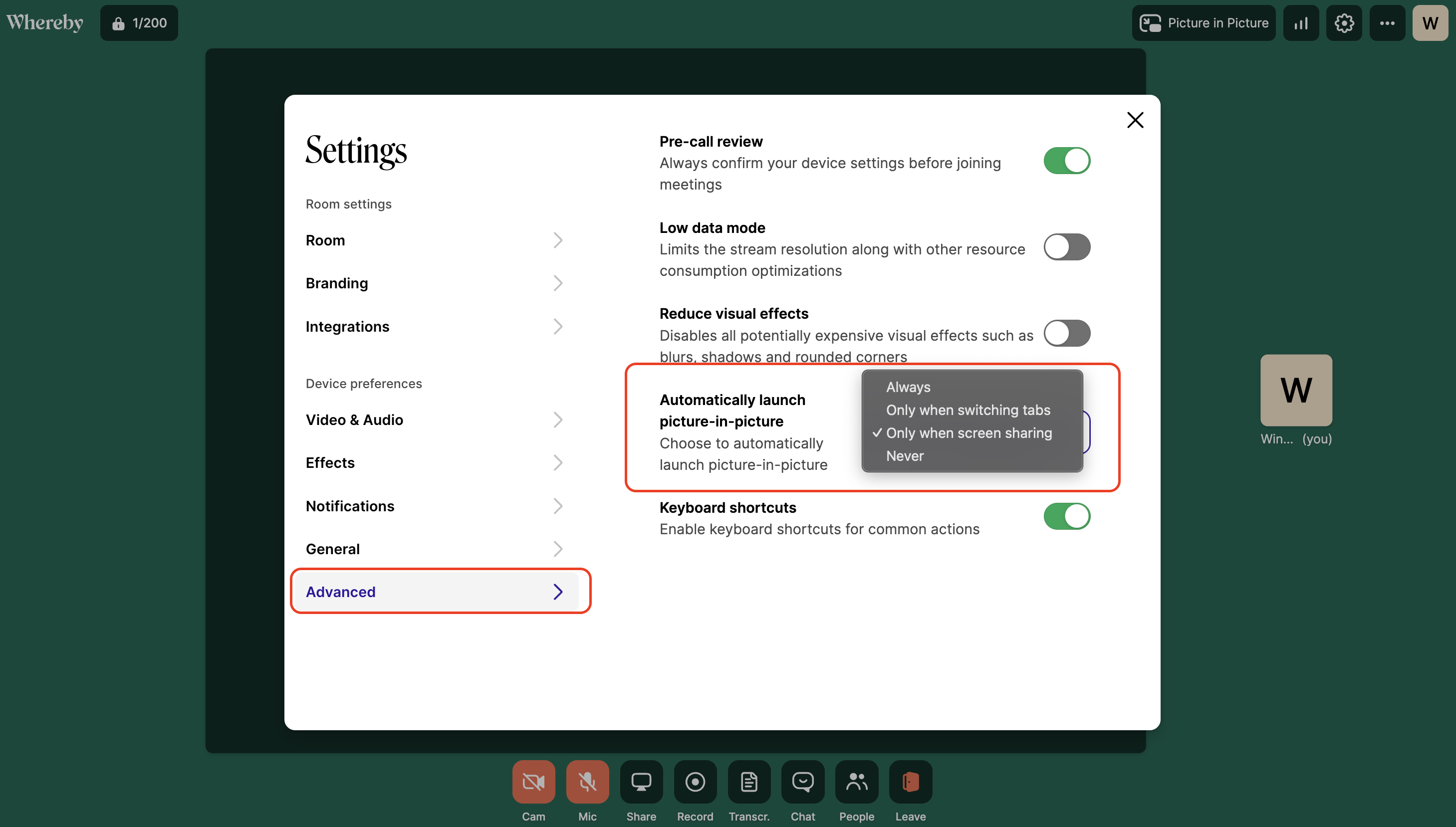
Individual users can adjust how and when PiP launches within their room settings.
The four trigger options include;
Always: Picture-in-picture automatically launches whenever a user switches focus away from their current tab.
Only when screen sharing: Automatically launches when a user starts screen sharing.
Only when switching tabs: triggers PiP on tab switches only.
Never: This disables automatic PiP entirely.
To choose the preferred option, users can tap on the settings icon during a session, click on ‘Advanced’ and then pick an option from the drop-down within ‘Automatically launch picture-in-picture'.
Please note that if you choose the ‘always’ or ‘only when switching tabs’ option, clicking links in the session chat will also trigger PiP.
This new automatic setting works only on Chrome and Edge browsers. Safari and Firefox users can still turn on PiP themselves within the meeting room.
See more details in the end user support documentation.
 You can now disable screen share notifications
Embedded
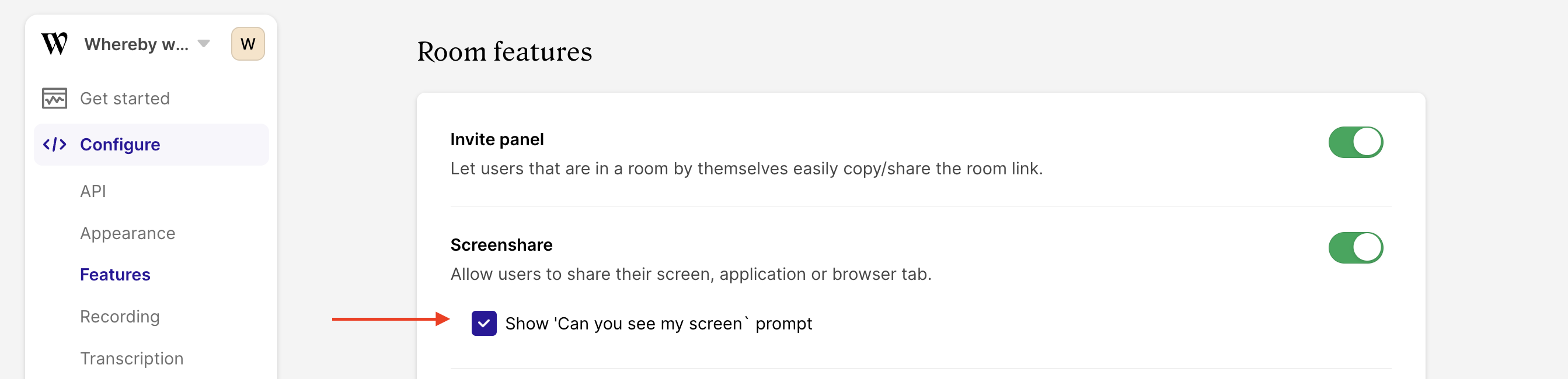
While the “can you see my screen?” prompt during screenshare is useful for 1:1 sessions and smaller group calls, teams hosting larger sessions might not want this feature enabled to reduce interruptions.
Since the prompt is on by default, organizations can now choose to disable this feature by toggling it off from the Embedded dashboard.
To do this, visit the Embedded dashboard > Configure > Features > Room Features > Screenshare and then untick the box.
We hope this gives you more control over your in-session experience.
 SDK Changelog
Embedded
As always, we’ve made significant improvements to our SDK. For a full list of changes and their commits, please check out our SDK repo changelog.
Got questions?
Join our Discord Community to gain insights from other developers using Whereby Embedded.
Have a great week ,
,
Team Whereby.